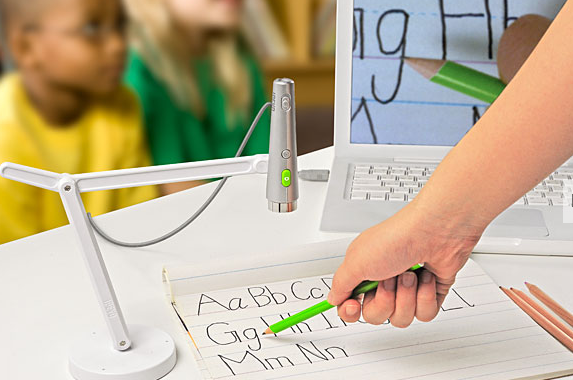
A Document Camera (or DocuCam) is quite simply a camera that displays whatever it sees on the projector screen. As far as I’m concerned, it is the single most valuable tool in the language classroom.
By projecting the text under examination using a DocuCam, you and your students can always be on the same page—or word, even. You can direct them with your hand, identify word groups, write notes, and flip between items quickly in a way you cannot when using, say, PowerPoint.
The DocuCam is a helpful way to keep students from reading from translations or surreptitiously consulting notes. Simply ask the students clear their desk and work from the projected text.
For those who love the chalkboard, often the projector screen gets in the way. But with some scrap paper and a pen, you can do through the DocuCam everything you would do with a chalkboard.
Some considerations:
• When projecting text, make sure it is as large as possible. Be sure everyone can see it clearly.
• Have the text in question center stage, within arm’s reach.
• Point to the text, whether on the projector screen or in the actual text projected. One benefit of the DocuCam is the ability to physically interact with the text in a way you can’t using, say, PowerPoint.
• Cover irrelevant text with a scrap piece of paper so students stay focused on the material immediately at hand.
• When writing in the projected text, the students will see all the fine details of your fingers. Groom accordingly if you care.
• As with any tech, be able to adjust if the DocuCam suddenly stops working.
<Instructional video coming soon>
At Yale, to request a DocuCam for your classroom, go to this link and select “Open Support Ticket” in the menu on the right of the page.
<Insert on challenges hooking up the DocuCam in a Yale classroom.>
See here for replicating the DocuCam on Zoom.
 Classics Teaching